

Ever feel like your code is just a disorganized warehouse of information? Without a system to label and store your data, writing a program becomes impossible. This post demystifies how Python stores and manages data by diving deep into variables and fundamental data types.
Listen to the episode
Listen to "Variables & Data Types: Storing Information" on pody.fm
What is a Python Variable?
Think of a variable as a labeled box in a vast warehouse. Without the label, you would never find your item again. In programming, a variable is a specific, case-sensitive name that refers to a value.[1] Unlike some older programming languages where you must declare the type of box beforehand, Python is dynamically typed. This means the computer figures out the type of data—whether it is a number or text—the moment you assign a value to it.
You create a variable using the assignment operator (=). It is critical to remember that in programming, the equals sign does not mean "mathematically equal." Instead, it acts as a command to assign the value on the right to the name on the left.
For example, writing age = 25 tells Python to create a reference named "age" that points to the integer 25. Variables function as references to objects rather than fixed storage bins, which provides significant flexibility in how you handle data.[3]
Naming Your Variables: Best Practices
Because you can name variables almost anything, it is easy to fall into bad habits. However, clear naming is required for writing maintainable code. If a developer looks at your code six months from now—even if that developer is you—variable names like x or data will offer no clue as to what they do.
The Rules
Python enforces strict syntax rules for variable names:
- They must start with a letter or an underscore.
- They cannot start with a digit.
- They cannot contain spaces or special punctuation characters (like
!or@).[6]
The Convention: Snake Case
Beyond the hard rules, Python developers follow a style guide known as snake case. This convention involves using all lowercase letters and separating distinct words with underscores, such as player_score or is_logged_in. Using descriptive names makes your code self-documenting, reducing the need for excessive comments explaining what a value represents.[5]
Core Data Types in Python
Once you have a variable, what goes inside it? While there are many complex structures in coding, they are all built upon a few fundamental data types.
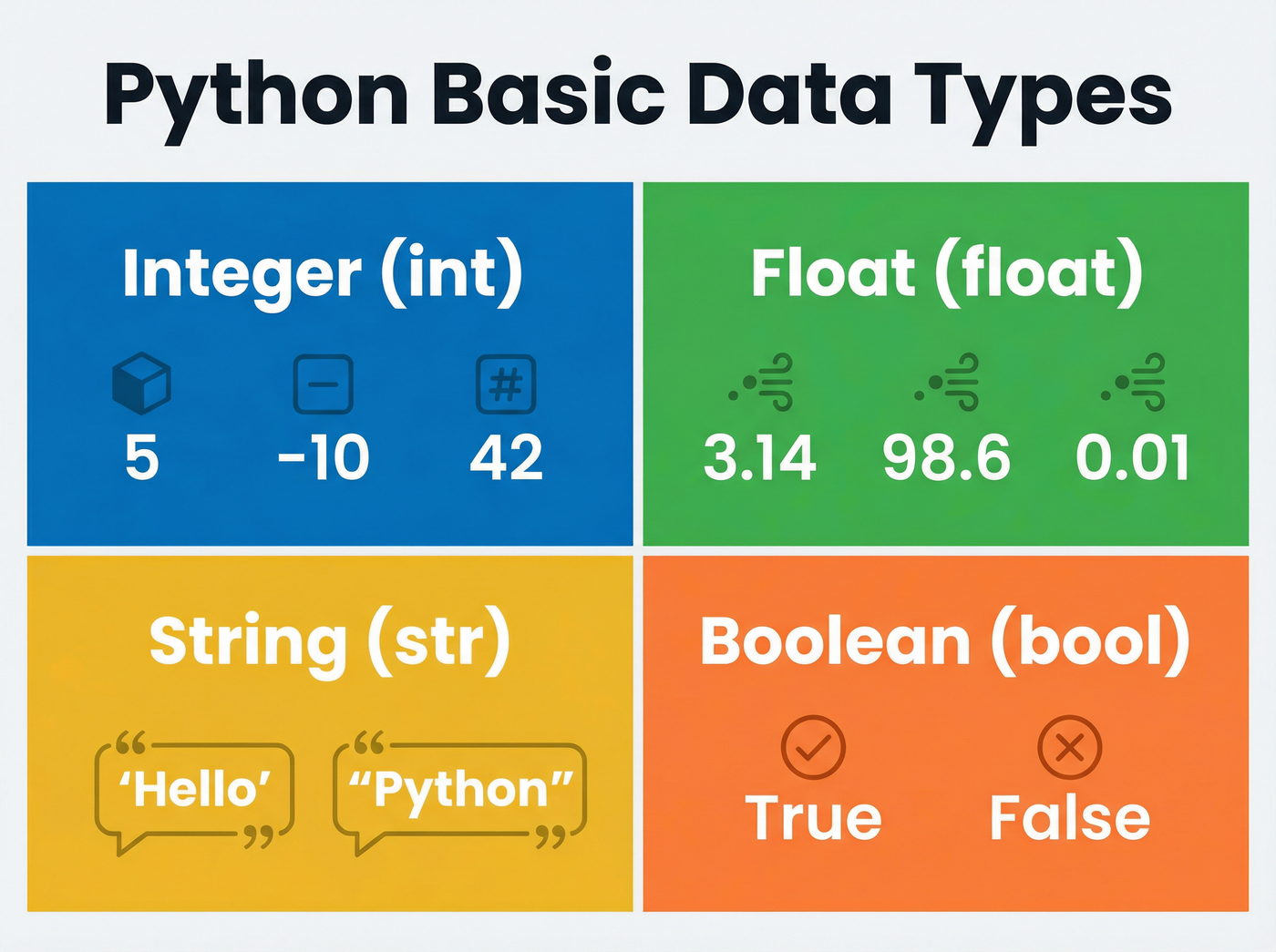
Integers and Floats
Numbers in Python are generally categorized into two types: integers and floats.
- Integers (
int): These are whole numbers used for counting, such as5,100, or negative numbers like-3. In Python 3, integers can be arbitrarily large, limited only by your computer's memory.[4] - Floats (
float): Short for floating-point numbers, these represent real numbers containing decimals, such as3.14or2.5. Computers handle floats differently than integers, focusing on precision for calculations.[2]
Strings
A string (str) is a sequence of characters used to represent text. You define them by enclosing text in either single quotes ('Hello') or double quotes ("World"). Python treats both quote styles identically, giving you the flexibility to handle strings that might contain apostrophes or quotes within them.[2]
Booleans
The Boolean (bool) type is the simplest form of data, representing binary logic. A Boolean can only be one of two values: True or False. Note that in Python, these keywords must be capitalized. Booleans are the "decision-makers" of programming, essential for conditional logic and flags (e.g., game_over = False).[2]
Inspecting and Converting Data
Sometimes you need to verify what kind of data you are working with, especially when debugging. Python provides the built-in type() function for this purpose. If you run type(3.14), Python will return <class 'float'>, confirming the data type.[1]
You will also encounter situations where data is in the wrong format. For instance, input from a user often arrives as a string, even if they typed a number. You cannot perform math on the string "10". To fix this, you must perform type conversion (or casting) using built-in functions:
int()converts data into an integer.float()converts data into a decimal.str()converts numbers or other types into a string.
Mastering these basics ensures your "digital warehouse" remains organized, allowing you to write cleaner, more efficient, and error-free code.