

- Definite vs. Indefinite Iteration: Use
forloops when you know the number of items, andwhileloops when repetitions depend on a changing condition. - The Power of Range: The
range()function allows you to generate sequences of numbers instantly for mathematical algorithms or grid logic. - Control Flow Tools: Use
breakto exit a loop immediately for efficiency, andcontinueto skip specific items without stopping the process. - Common Patterns: Master the "Accumulator Pattern" for summing values and avoid common pitfalls like modifying a list while iterating over it.
In the world of computer science, the ability to automate repetition is what transforms a simple calculator into a powerful digital engine. For anyone learning Python, mastering loops is the bridge between writing scripts that handle single data points and building systems that can process millions of records in seconds.
At its heart, a loop is a control structure that allows a programmer to execute a block of code multiple times without rewriting it. Whether you are processing a list of names, the characters in a string, or the rows of a massive spreadsheet, loops act as a guide, picking up each item one by one and performing a set of instructions until the job is done.
The For Loop: Definite Iteration
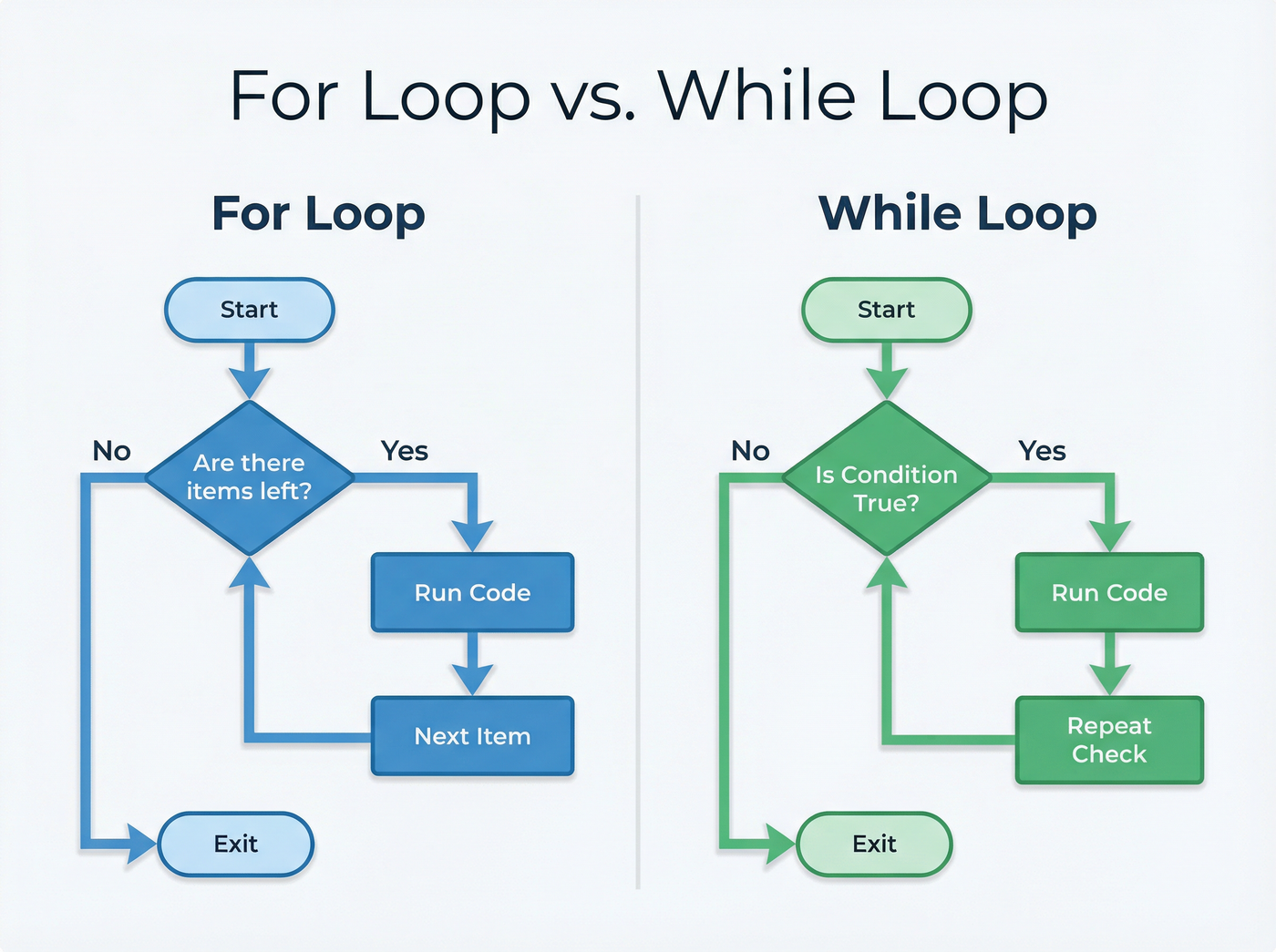
The most common way to iterate in Python is the for loop. Unlike some older programming languages that require complex counters, Python’s for loop is designed to be elegant and readable. It follows a philosophy of "definite iteration," meaning it usually runs over a pre-defined collection of items.[1]
For example, you can tell Python to take a list of fruits and print each one. The loop creates a temporary variable (often called the iterator variable) that holds the value of the current item for that specific cycle.
Using the Range Function
To make these loops even more versatile, Python provides the range() function. This generator helps you loop a specific number of times without needing an existing collection. For instance, if you want to print a message ten times, you tell Python to iterate over range(10).[4]
You can even customize it to start at a certain number, stop at another, or skip values using a "step" parameter. This functionality makes range() the backbone of many mathematical algorithms and logic structures.
The While Loop: Indefinite Iteration
While the for loop works best when the number of repetitions is known, the while loop is the tool of choice for "indefinite iteration." This structure continues to run as long as a specific condition remains true. It is strictly the "until" command of the programming world: keep running until the user clicks exit, or keep searching until the data is found.[2]
This makes while loops essential for interactive programs, game loops, and real-time monitoring systems where the exact number of iterations isn't known at the start.
The Risk of Infinite Loops
The power of a while loop comes with a significant risk: the infinite loop. If the condition for stopping is never met—perhaps because of a logical error or a variable that fails to update—the program will run forever. This can consume system resources until the program crashes or is manually terminated. Disciplined developers always ensure their loops have valid "exit conditions" that are guaranteed to trigger eventually.[5]
Controlling the Loop: Break and Continue
To provide even finer control over these cycles, Python offers the break and continue statements. Think of these as the steering wheel and the brakes for your loops.
- Break: This statement allows you to exit a loop prematurely. If you are searching for a specific record in a database of a billion items, there is no reason to keep looking once you have found it. Calling
breakstops the loop immediately, saving computational power. - Continue: This statement is more subtle. It tells the program to skip the remainder of the current iteration and jump straight back to the top for the next cycle. This is perfect for filtering data on the fly, such as ignoring incomplete records while processing a dataset.[6]
Common Patterns and Pitfalls
In practice, programmers often rely on established strategies like the Accumulator Pattern. In this scenario, a variable is initialized (usually to zero or an empty list) before the loop starts. As the loop iterates, it updates this accumulator variable—perhaps adding a price to a total sum or building a new list of results.[2]
However, repetition structures are also frequent sites for errors. A classic mistake is the "off-by-one" error, where a loop runs one time too many or too few, often due to confusion over Python's zero-based indexing.
Another dangerous pitfall is attempting to modify a collection while you are looping through it. If you try to delete items from a list as you iterate over it, the index positions shift, and Python might skip items or crash. Expert developers avoid this by looping over a copy of the list or by using list comprehension for safe, concise filtering.[3]

Listen to the episode
Unlock the power of automation and transform your simple scripts into scalable systems by mastering Python's loop structures. Prepare to write code that works smarter, not harder.
Listen to the full episode here